DGDG.COM
Open Today Sales: 9 AM-8 PM


DGDG.COM
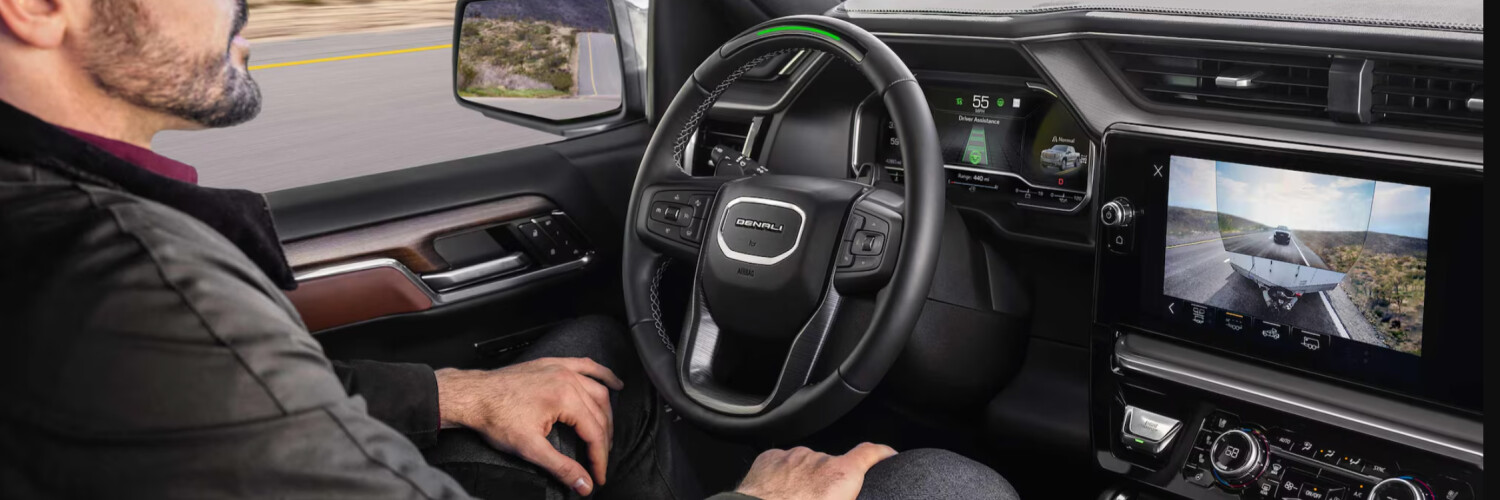
Time spent behind the wheel is a regular part of daily life in Santa Clara. Whether you’re navigating highways or surface streets during rush hour, technology that reduces stress and enhances safety is more valuable than ever. That’s where GMC Super Cruise® comes in—a hands-free driver-assistance system that elevates your daily drive. Capitol GMC will explore what GMC Super Cruise® is and why it’s such an exciting advancement for commuters.
GMC Super Cruise® is a proprietary technology that provides hands-free driver assistance for GMC vehicles. It works with OnStar® and LiDAR mapping to help ensure the vehicle travels safely under appropriate conditions on compatible roads in and around San Jose.
GMC Super Cruise® relies on real-time data to provide precise positioning and map updates. This requires an active OnStar® Super Cruise® Plan. In addition, you’ll need to make sure that certain driver assistance features are either turned off or turned on and set to the appropriate settings:
Finally, carefully consider whether:
Once all of the necessary conditions are met, perform the following three steps to start using GMC Super Cruise®:
To turn Super Cruise® off, press the button again or take control of the steering wheel and press the brake pedal. You can also turn off Super Cruise® by deactivating Adaptive Cruise Control. If you have an EV, you can deactivate Super Cruise® by pulling the Regen On Demand Paddle toward you.
Do you want to explore GMC Super Cruise® technology? Visit our dealership near Santa Clara and go for a test drive with us.
Blue Cruise® is a hands-free highway driving system from Ford that’s similar in concept to GMC Super Cruise®, but user testimonials suggest that GMC Super Cruise® is the overall better system. Unlike Ford Blue Cruise®, GMC Super Cruise®:
Visit our dealership near Fremont to learn more about what GMC Super Cruise® can do for you and change how you drive for the better.
We offer vehicles equipped with GMC Super Cruise®, and we’re ready to help you experience this cutting-edge technology firsthand. If you’re still curious about what GMC Super Cruise® is or want to compare Blue Cruise® vs. Super Cruise®, our knowledgeable team can guide you. Stop by San Jose today to test-drive a GMC and find out how Super Cruise® can transform your daily drive in San Jose.